Technical SEO Audit: What to Check and How to Fix It
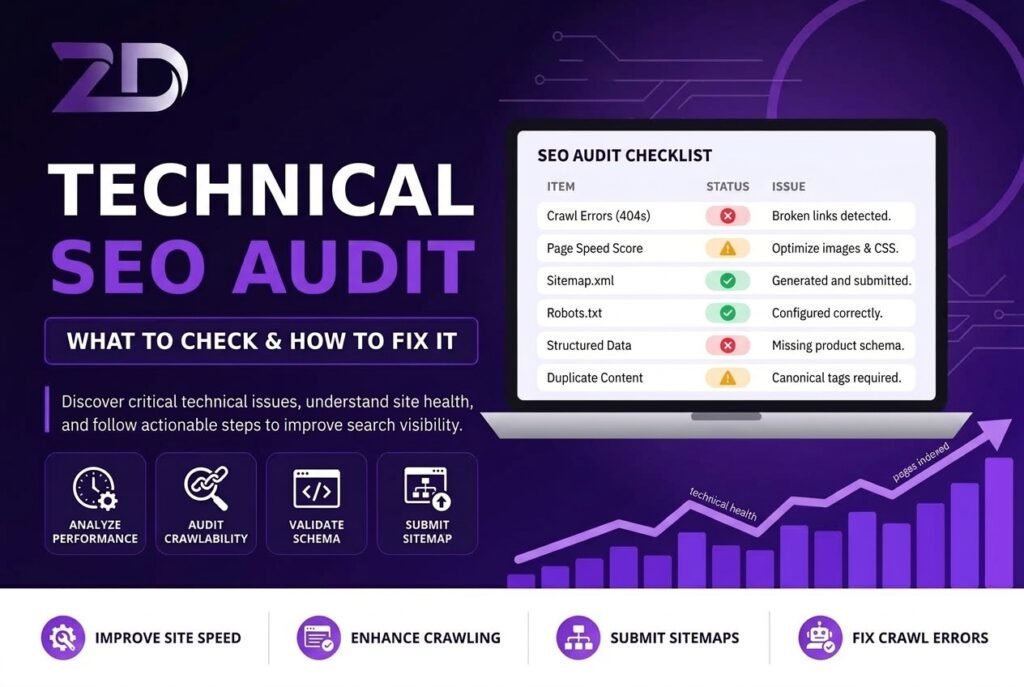
A website can have great content and still struggle in Google Search if search engines cannot properly crawl, understand, or index its pages. This is why a technical SEO audit is an important part of a complete SEO strategy.
A technical SEO audit helps you identify problems related to crawling, indexing, website performance, mobile usability, internal linking, redirects, security, and other technical elements that can affect search visibility.
The goal is not to fix every warning reported by an SEO tool. Instead, the focus should be on finding and resolving issues that genuinely affect search engine accessibility, user experience, and the ability of important pages to appear in search results.
What Is a Technical SEO Audit?
A technical SEO audit is a systematic review of the technical health of a website. It examines how easily search engines can discover, crawl, render, and understand important pages.
A typical audit includes:
Crawling and indexing
Robots.txt
XML sitemap
Canonical URLs
HTTPS and website security
Mobile usability
Core Web Vitals
Page speed
Internal links
Redirects and broken links
Duplicate pages
Structured data
JavaScript rendering
URL structure
Technical SEO should work together with on-page SEO and useful content. If you want to review the content-side elements as well, our On-Page SEO Checklist for 2026 covers important on-page factors that complement a technical audit.
1. Check Crawling and Indexing
Start by checking whether Google can access and index your important pages.
Google Search Console is one of the most useful tools for this. Review the Page Indexing report and look for issues such as:
Crawled – currently not indexed
Discovered – currently not indexed
Blocked by robots.txt
Excluded by noindex
Duplicate pages
Incorrect canonical
Server errors
Redirect issues
An indexing problem does not always mean there is a technical error. Google may choose not to index a URL for several reasons, including duplication, quality, or the page’s overall usefulness.
How to Fix Indexing Problems
For each affected URL, check:
Is the page accessible?
Does it return a successful HTTP status?
Is a
noindexdirective present?Is the page blocked by robots.txt?
Is the canonical URL correct?
Does the page contain useful and unique information?
Can Google discover it through internal links?
After fixing the issue, you can use Google’s URL Inspection tool to check the page and request crawling when appropriate.
2. Review Your Robots.txt File
The robots.txt file provides instructions to compliant crawlers about which URLs or areas they can request.
A common technical SEO problem occurs when important resources or pages are accidentally blocked.
During an audit, check that robots.txt is not preventing access to important sections of your website. Also remember that robots.txt should not be treated as a replacement for a noindex directive when your goal is to prevent a page from appearing in search results.
Always review changes carefully before publishing a new robots.txt file.
3. Check Your XML Sitemap
An XML sitemap helps search engines discover important URLs on your website.
Your sitemap should ideally contain URLs that you actually want search engines to crawl and index.
Check that it:
Uses the correct HTTPS URLs
Contains canonical URLs
Does not include broken pages
Does not contain unnecessary redirects
Does not include pages blocked from indexing
Is submitted through Google Search Console
A sitemap helps with URL discovery, but submitting a URL does not guarantee that Google will index or rank it.
4. Audit Canonical Tags
Canonical tags help search engines understand the preferred version of pages that are duplicate or substantially similar.
Check whether important pages have appropriate canonical URLs.
Common canonical problems include:
Canonical pointing to an unrelated page
HTTP canonical on an HTTPS website
Incorrect canonical after a migration
Several unrelated pages pointing to one canonical
Canonical URLs returning errors
Canonicalization is particularly important for ecommerce websites, filter pages, parameterized URLs, and websites with similar content across multiple URLs.
5. Check Website Speed and Core Web Vitals
Website performance is another important part of technical SEO and user experience.
Core Web Vitals currently include:
LCP (Largest Contentful Paint): measures loading performance
INP (Interaction to Next Paint): measures responsiveness
CLS (Cumulative Layout Shift): measures visual stability
For practical website optimization, Google recommends aiming for good Core Web Vitals results rather than simply trying to achieve a perfect PageSpeed score.
If you want a beginner-friendly walkthrough of performance improvements, read our Website Speed Optimization guide.
Common performance improvements include:
Compressing large images
Using appropriately sized images
Reducing unnecessary JavaScript
Optimizing CSS
Using browser caching
Improving hosting resources
Removing unnecessary plugins
Optimizing fonts
Reducing excessive third-party scripts
Don’t focus only on achieving a 100/100 score. Fix the problems that have the greatest impact on real users.
6. Make Sure the Website Works Well on Mobile
Google uses mobile-first indexing, so your website should provide important content and functionality on mobile devices.
Check your pages on different screen sizes and look for:
Difficult-to-read text
Buttons that are too close together
Horizontal scrolling
Content missing on mobile
Images extending beyond the screen
Slow mobile loading
Intrusive elements covering the content
Your mobile version should provide users with substantially the same important information and functionality as the desktop version.
7. Review Internal Links and Site Architecture
Internal linking is an important part of both technical SEO and website usability.
Internal links help visitors discover related information and help search engines understand the relationship between pages.
During your audit, look for:
Orphan pages
Broken internal links
Important pages buried too deeply
Poor navigation
Weak links between related content
Generic anchor text where descriptive text would be more useful
For example, a technical SEO article can naturally link to a keyword research guide, an on-page SEO guide, and a small-business SEO guide.
For businesses starting from the beginning, our guide on How to Start SEO for a Small Business provides a broader SEO roadmap that can be used alongside a technical audit.
The objective is not to add as many internal links as possible. Each link should help the visitor discover relevant information.
8. Find Broken Links and Redirect Problems
Broken URLs can create frustrating experiences for users and make website maintenance more difficult.
Check for:
404 errors
5xx server errors
Redirect chains
Redirect loops
Incorrect redirects
Internal links pointing to redirected URLs
If a page has permanently moved, use an appropriate permanent redirect to the relevant replacement page.
Avoid redirecting unrelated pages simply because they have similar keywords. The destination should make sense for the user.
9. Check JavaScript Rendering
JavaScript is widely used on modern websites and does not automatically create an SEO problem.
However, problems can occur if important content or links are only available after JavaScript executes incorrectly or incompletely.
Check whether search engines and users can access:
Main page content
Navigation links
Product information
Metadata
Canonical tags
Structured data
Important calls to action
For JavaScript-heavy websites, test important pages carefully instead of assuming that everything visible in a browser is automatically available to search engines.
10. Validate Structured Data
Structured data provides additional information about the content of a page and can make eligible pages suitable for certain Google search features.
Depending on your website, relevant structured data may include:
Organization
LocalBusiness
Product
Breadcrumb
Article
Event
Video
Only implement structured data that accurately represents the page and follows Google’s guidelines.
Also remember that valid structured data does not guarantee that Google will display a rich result.
11. Check HTTPS and Website Security
HTTPS protects communication between the visitor and your website and is an important part of maintaining a secure website.
During a technical audit, check:
SSL certificate validity
HTTPS versions of important pages
HTTP-to-HTTPS redirects
HTTPS canonical URLs
Mixed-content issues
Secure internal links
Make sure visitors are consistently directed to the secure version of your website.
12. Review URL Structure and Duplicate Pages
A clean URL structure makes websites easier to manage and can help users understand where they are.
Avoid creating unnecessary URL variations for the same content.
Check for:
Duplicate URLs
Unnecessary parameters
Multiple versions of the same page
Incorrect trailing-slash handling
HTTP and HTTPS duplicates
WWW and non-WWW duplicates
Case-sensitive URL variations
Where multiple URLs represent the same or substantially similar content, use appropriate canonicalization, redirects, or other technical controls.
Technical SEO Audit Checklist
Before completing your audit, review the following:
☐ Google Search Console indexing issues
☐ Robots.txt
☐ XML sitemap
☐ Canonical tags
☐ HTTPS and security
☐ Mobile usability
☐ Core Web Vitals
☐ Website speed
☐ Broken links
☐ Redirect chains and loops
☐ Internal linking
☐ Orphan pages
☐ JavaScript rendering
☐ Structured data
☐ URL structure
☐ Duplicate pages
☐ Important content accessibility
How Technical SEO Connects With the Rest of Your SEO Strategy
Technical SEO is only one part of a successful search strategy.
Once your website can be properly crawled and indexed, you also need to make sure you are targeting topics that your audience actually searches for.
Our guide on Keyword Research for a New Website explains how to identify relevant search terms, understand search intent, evaluate competition, and organize keywords into topics.
After choosing your topics, your content should satisfy the searcher’s needs rather than simply repeating keywords. You can learn more in our guide on How to Write SEO Content That Actually Ranks.
For businesses that depend on local customers, technical SEO should also support local search. Our guide on How to Optimize Your Google Business Profile for Local Search covers the local optimization side.
When Should You Perform a Technical SEO Audit?
A technical audit can be useful when:
Launching a new website
Migrating to a new domain
Moving from HTTP to HTTPS
Redesigning a website
Experiencing unexpected traffic or indexing changes
Adding a large number of pages
Changing URL structures
Publishing a large ecommerce catalog
Investigating crawling or indexing problems
A smaller technical check can also be performed regularly to catch new problems before they become larger issues.
Final Thoughts
A technical SEO audit is not about fixing every warning generated by an SEO tool. The real objective is to make your website accessible, crawlable, indexable, fast, secure, mobile-friendly, and easy for both users and search engines to understand.
Start with the issues that can directly affect important pages, such as indexing problems, incorrect canonicals, broken links, poor performance, mobile usability issues, and inaccessible content.
Technical improvements should then be combined with useful content, keyword research, strong internal linking, and a clear website structure.
If you want a complete SEO strategy that brings these elements together, explore Zorexa Digital’s SEO Services for SEO solutions tailored to business goals and website requirements.
For additional research, our Top SEO Agencies in Pakistan guide can also help businesses understand the SEO agency landscape and what to consider when evaluating an SEO provider.
